Copy via Fusion
Follow these simple steps to start copytrading with SmiteFX on Fusion Markets and unlock the potential to maximize your returns in the Forex market.
Step 1: Create Fusion Markets Account
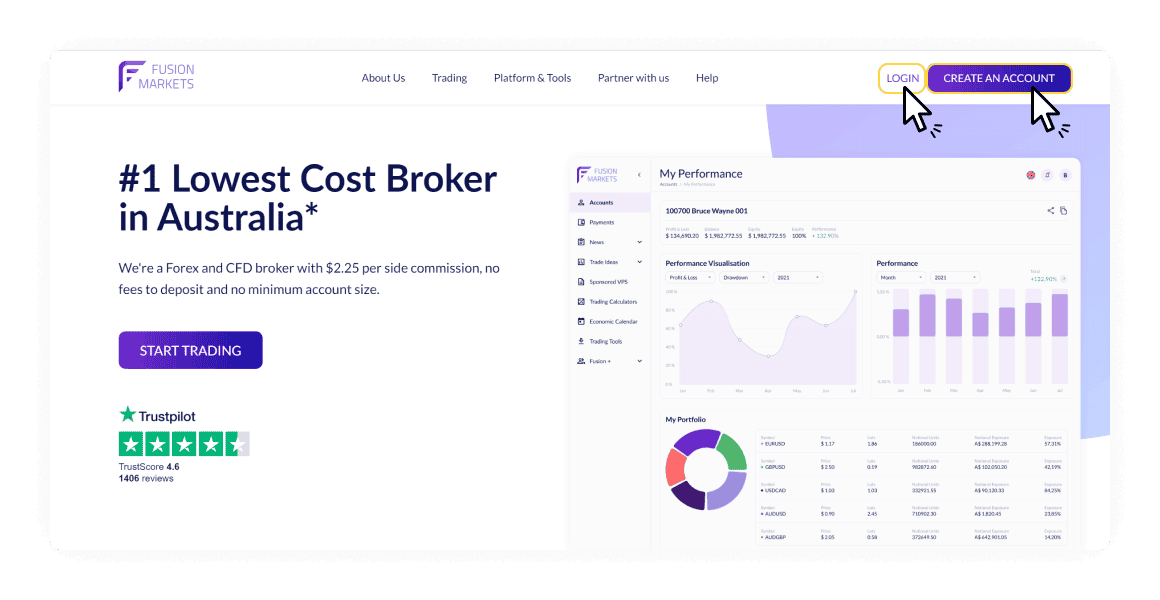
Register Fusion Markets account at Fusion Markets. If you already have Fusion Markets Account, skip to Step 2.
Click ‘CREATE AN ACCOUNT’ button
Our affiliate code is ‘102502’, input it under ‘Referrer’ anywhere you have the chance.
Upon successful registration, do your KYC/Verification then proceed to Step 2.
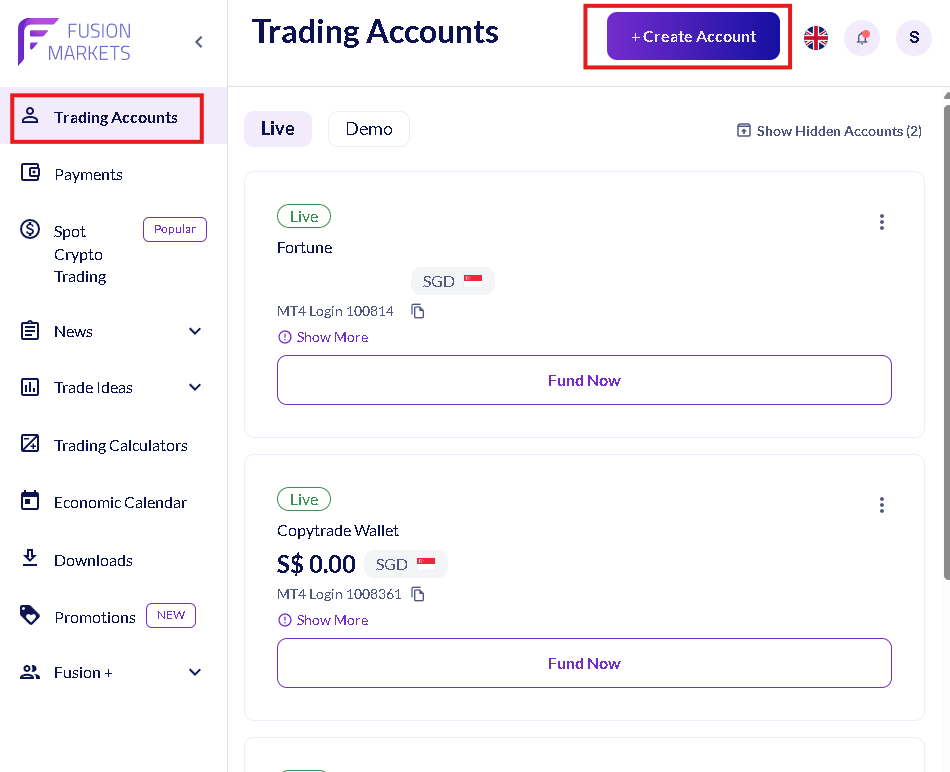
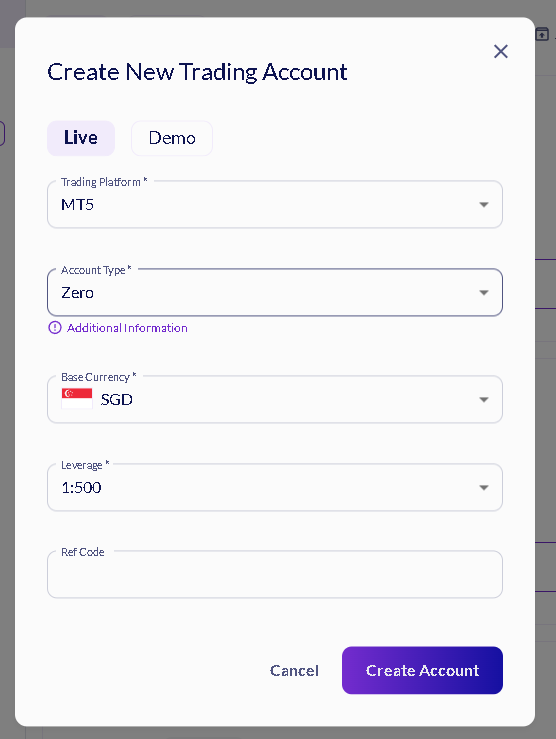
Step 2: Open a Trading Account
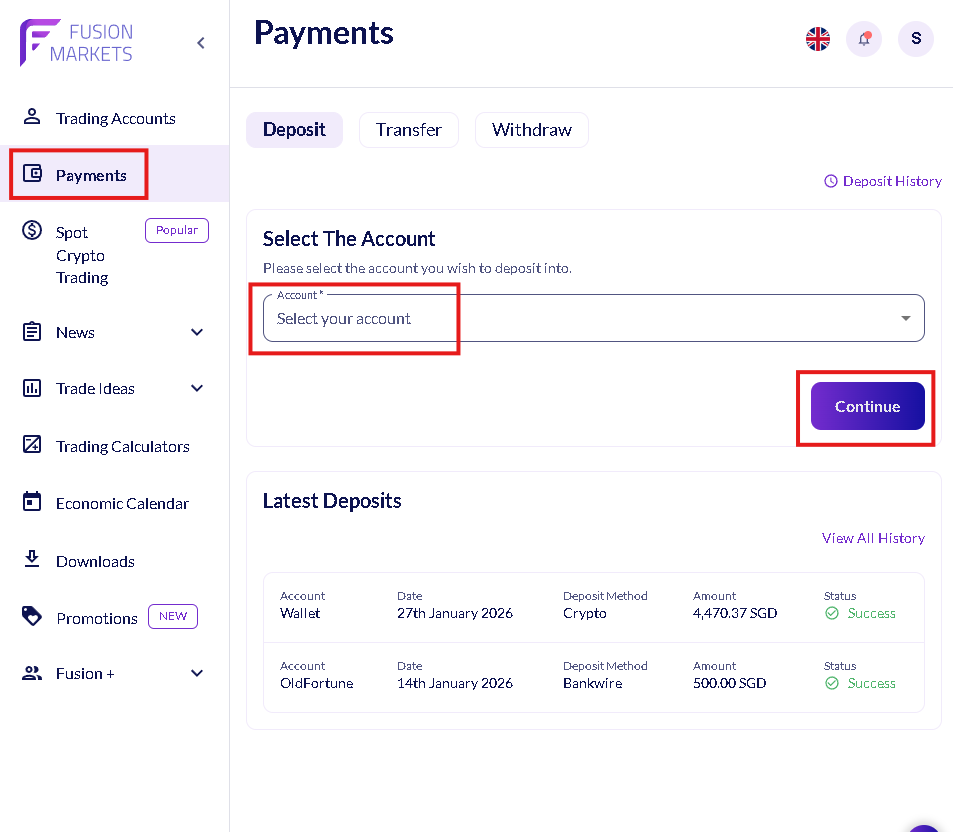
Step 3: Deposit into Trading Account
Choose the newly created trading account to deposit funds into. We recommend at least $100 USD to start copy trading.
DISCLAIMER: Deposit methods differ for users residing in different regions.

You can fund using a variety of deposit methods.
Step 4: Subscribe to SmiteFX's Fortune strategy
Visit this link: https://hub.fusionmarkets.com/follower-join/jvj856Qi2M
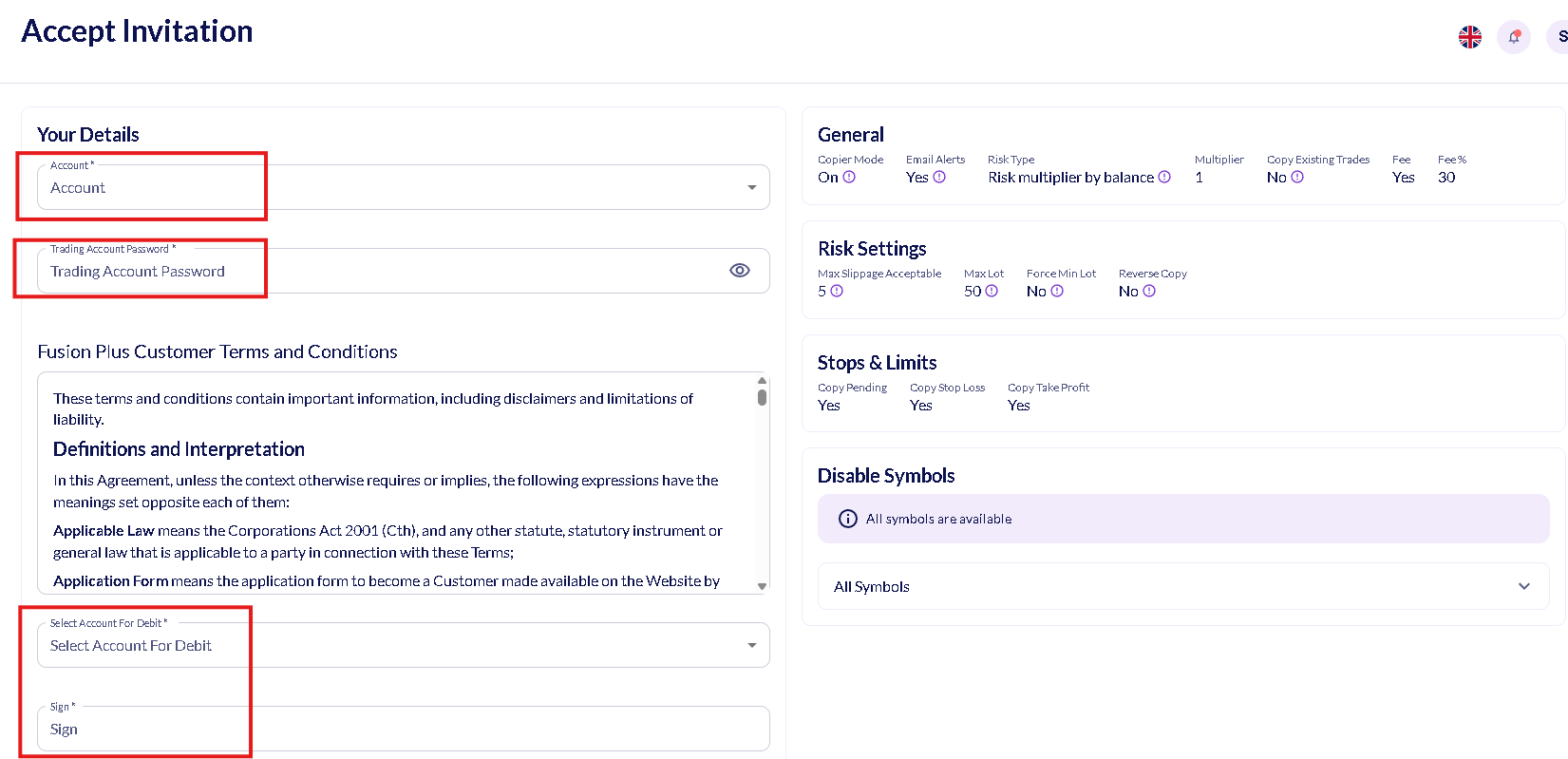
And you will be directed straight to Fortune’s copytrade profile.
1. Fill in your account details
2. Select an account for the broker to deduct a $10 fee (don’t worry this will be returned to you later on)
3. Sign, submit and start profiting with us!
Step 5: Partner with us! (Risk Free Passive Income!)
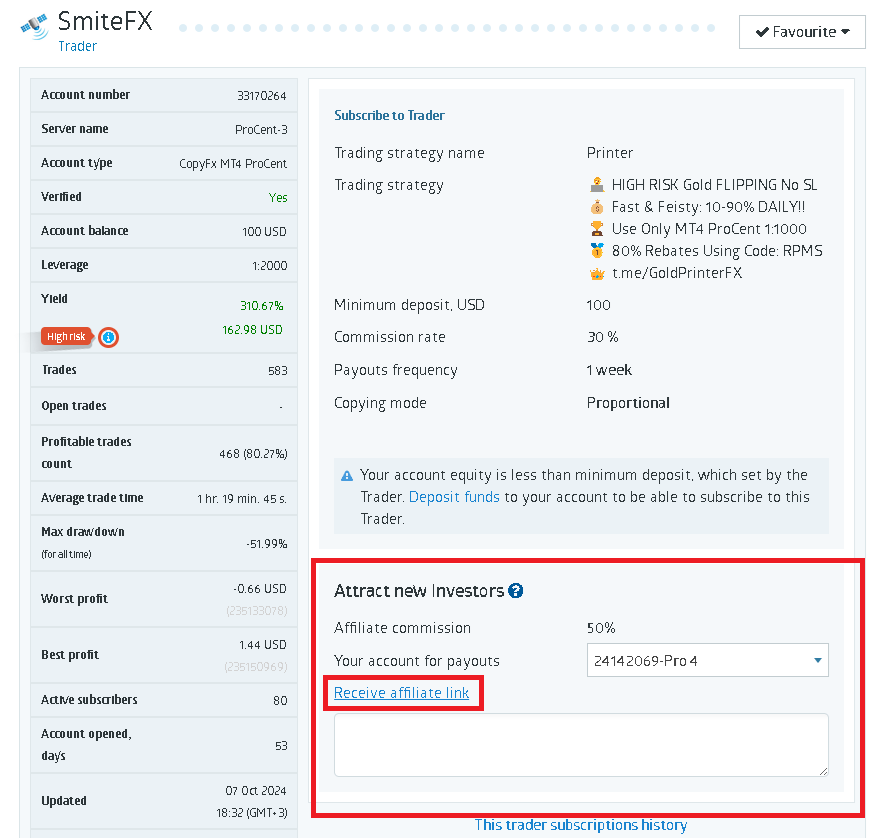
1. Generate your affiliate link.
2. Get investors to copy us via your affiliate link and receive 50% of the Master Trader’s profit split every WEEK.
More info can be found here: https://www.roboforex.com/partners/affiliate/copyfx-partner-programme
Step 5: Download MT4/5 App
Download the MT4/5 App from link below and login to your trading account to monitor all your trading transactions.
https://hub.fusionmarkets.com/en/downloads